Add beautifully styled text blocks with a Copy to Clipboard button anywhere in your posts or pages. Perfect for AI prompts, code, commands and coupons.
Hey! This is Sahitya. We create beautiful, fast, and conversion-focused websites that help businesses build trust, attract more customers, and grow online.
A focused plugin that solves one problem beautifully — giving your readers a frictionless way to copy text.
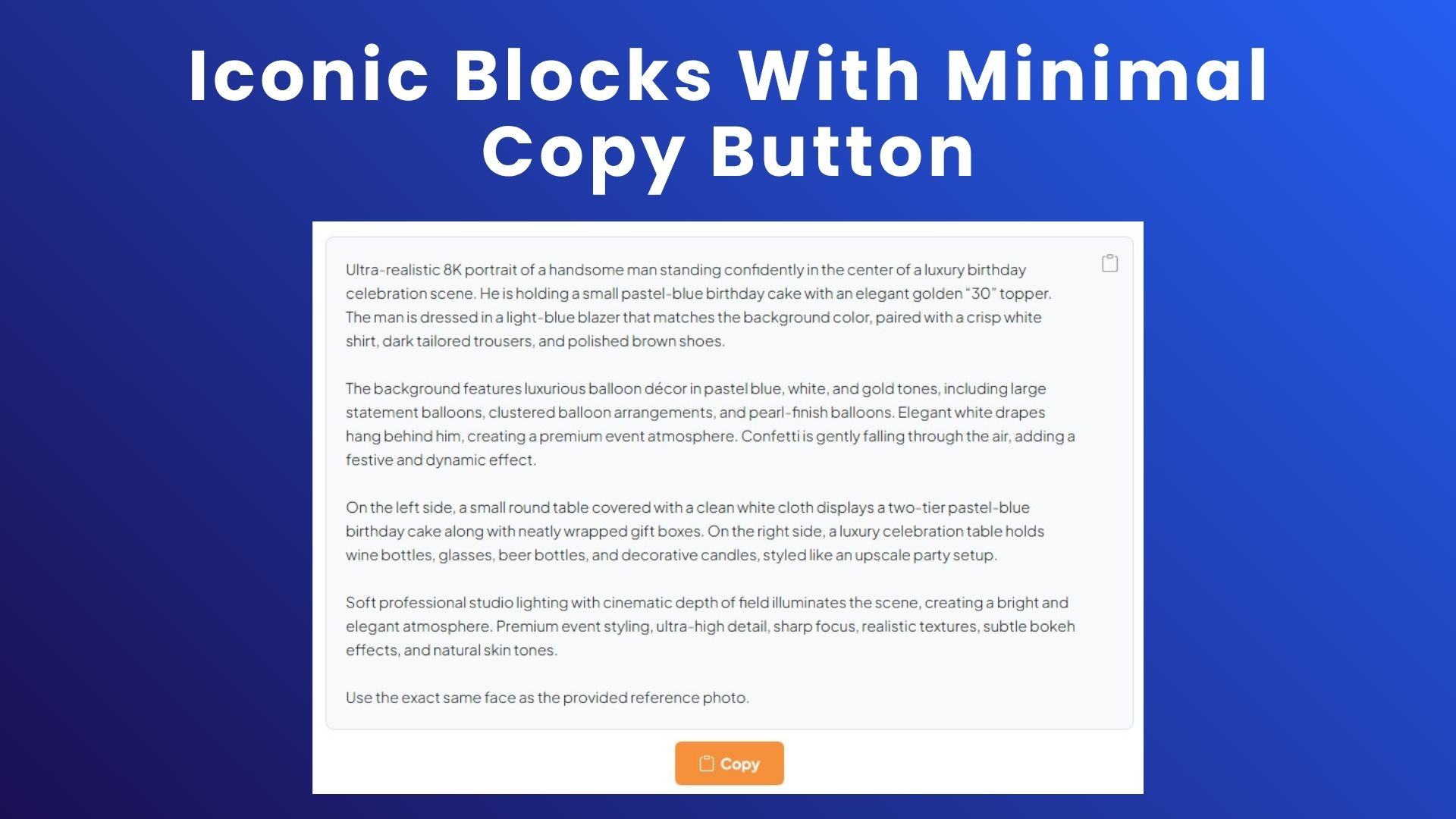
Add a Copy Box block from Gutenberg in a single click — no shortcodes, no code.
A subtle icon sits in the top-right so visitors can copy without hunting for a button.
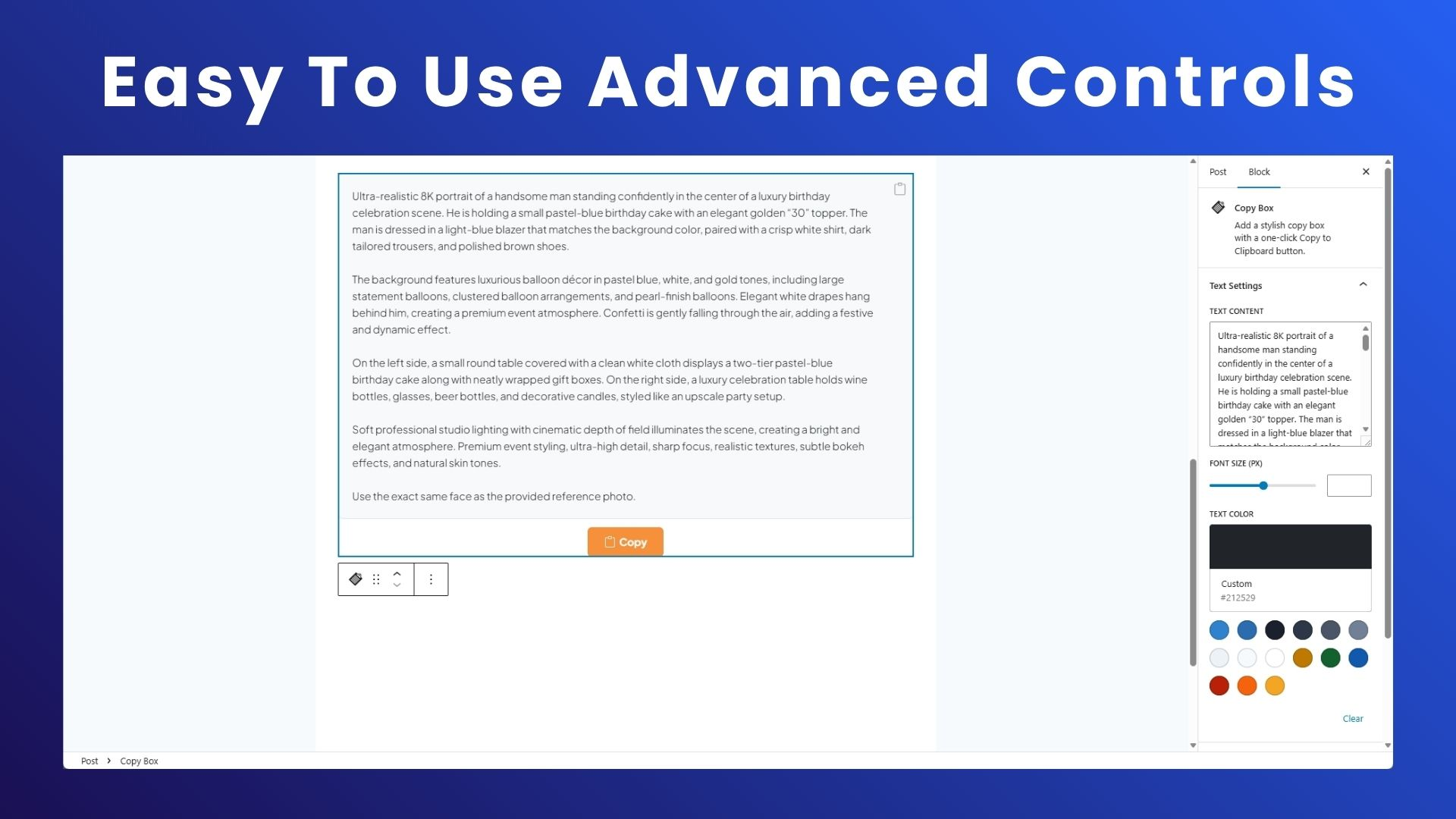
Background, border, radius, padding, text color, font size — style every pixel.
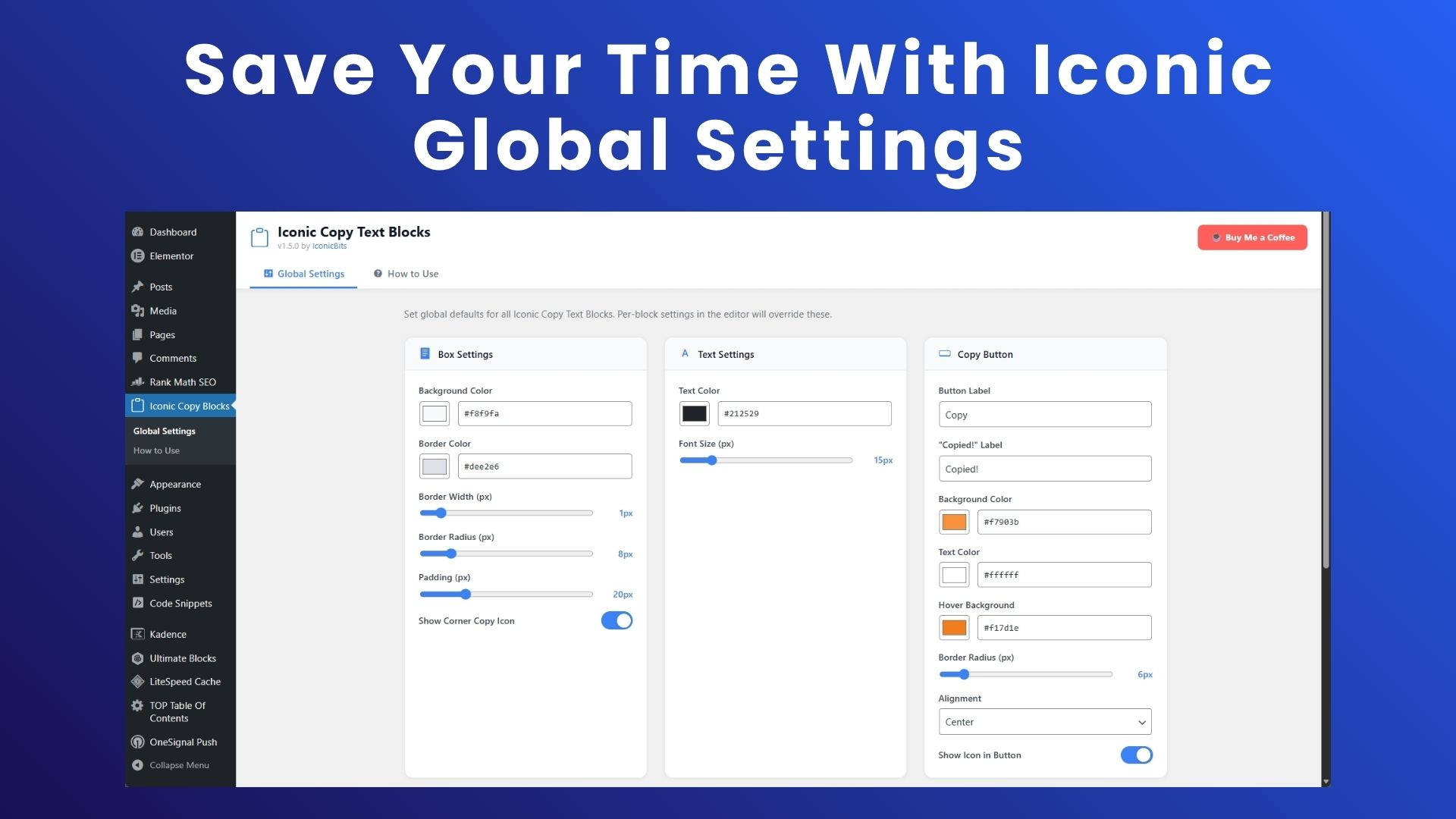
Label, 'Copied!' text, colors, hover state, radius, alignment and icon visibility.
See your global styles update in real time before you hit save.
Modern Clipboard API with a legacy fallback so older browsers still work.
Peek inside the admin — global defaults, per-block controls and a friendly onboarding guide.
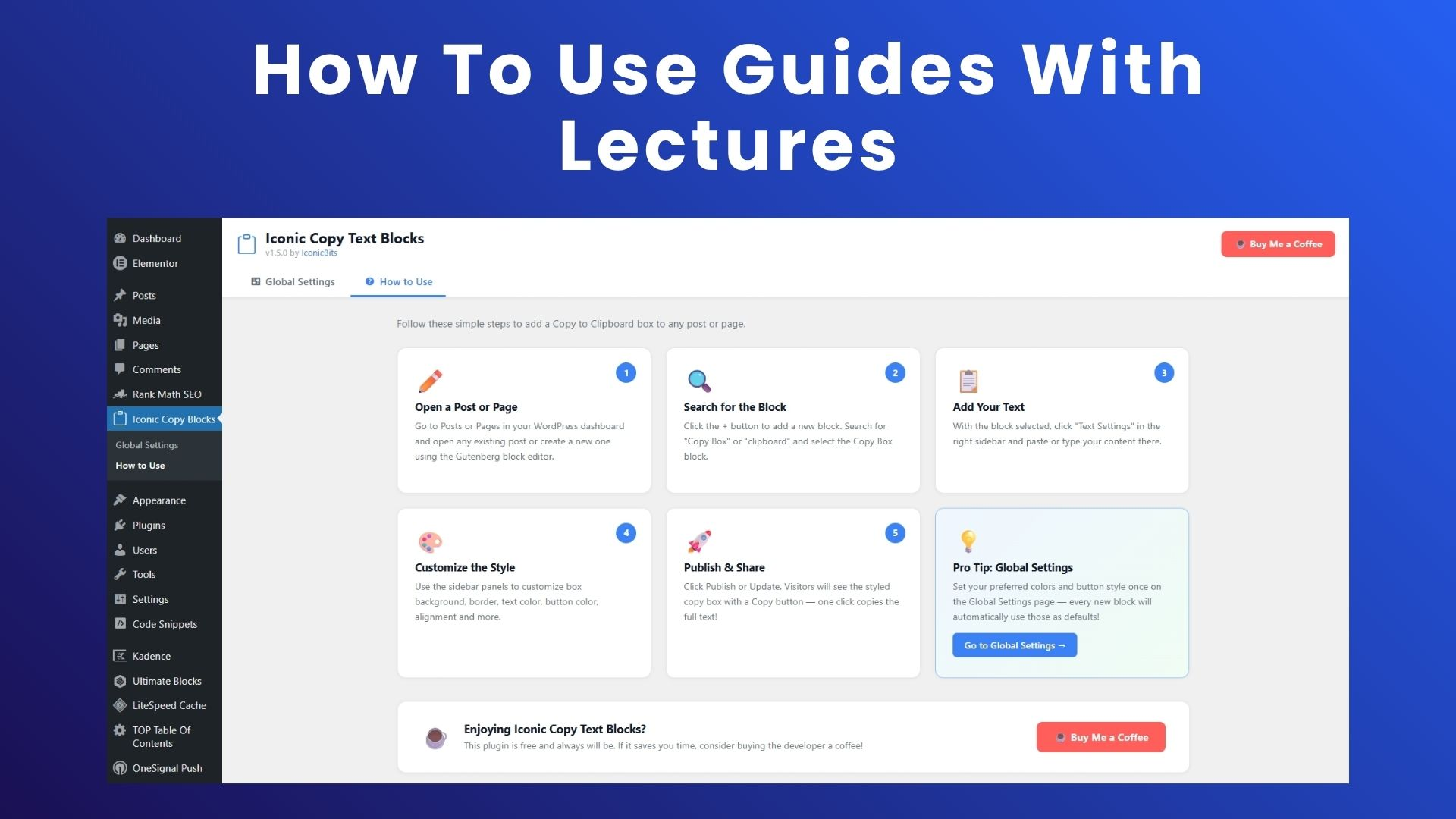
Head to Posts or Pages in WordPress and open the Gutenberg editor.
Click + and search for "Copy Box". Insert it wherever you need.
Paste your prompt, snippet or code into the Text Settings panel.
Tune colors, borders, button label and alignment from the sidebar.
Publish. Visitors copy the full text with a single click.
A quick walkthrough of installing the plugin and adding your first Copy Box.
Real reviews from the WordPress.org plugin directory.
"During the use of the plugin, it proved to be very versatile for creating more intuitive web pages. Simply adding a block where text can be copied gives more life to the page, making it more attractive and less heavy. The installation and usage process was very easy — no technical issues at all."
"Really handy plugin, especially if you often share code snippets, prompts or coupon codes. What I liked most is how customizable it is — colors, button text and styling without touching any code. The copy button works smoothly on mobile too. Lightweight, does exactly what it promises."
"It is very simple to use and adds a clean copy button inside the block editor without any confusion. The block fits nicely into Gutenberg and feels natural. Customization is also good — change colors and basic styles without much effort. Lightweight and works smoothly, even on mobile."
Install Iconic Copy Text Blocks and ship your first Copy Box in under a minute.